1 – Fiber Upgrade – Wi-Fi Downgrade
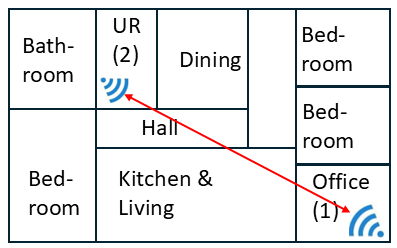
Cox Cable came to this client and said that they were upgrading him from Cable Internet to Fiber Internet. They promised him higher speed and better reliability for the same cost. After the upgrade was complete, the client noticed that the Internet in his office was much slower than before.
Here’s why.
In the diagram above, the (1) indicates the original location of the cable router in the home office, with excellent Wi-Fi coverage. This location was available because this house was originally fully wired for cable TV in most rooms.
However, this house was not wired for fiber, so the Cox technician only ran the new fiber as far as the utility room, location (2), and installed the new fiber router there. The red arrow indicates the several walls obstructing the Wi-Fi signal in its path from the utility room to the office.
Fortunately, the house was fully wired with Cat5e Ethernet, and the fiber router did have an Ethernet port. So, the solution was to use the Ethernet between the utility room and the office to provide a direct high-speed hard-wired connection the the desktop PC in the office.
To provide better Wi-Fi coverage for the wireless devices in the office, I added a Wi-Fi access point there, also fed by the Ethernet connection to the router in the utility room. This is a very common solution to coverage issues like this one.
2 – One PC has slow Internet, One is OK
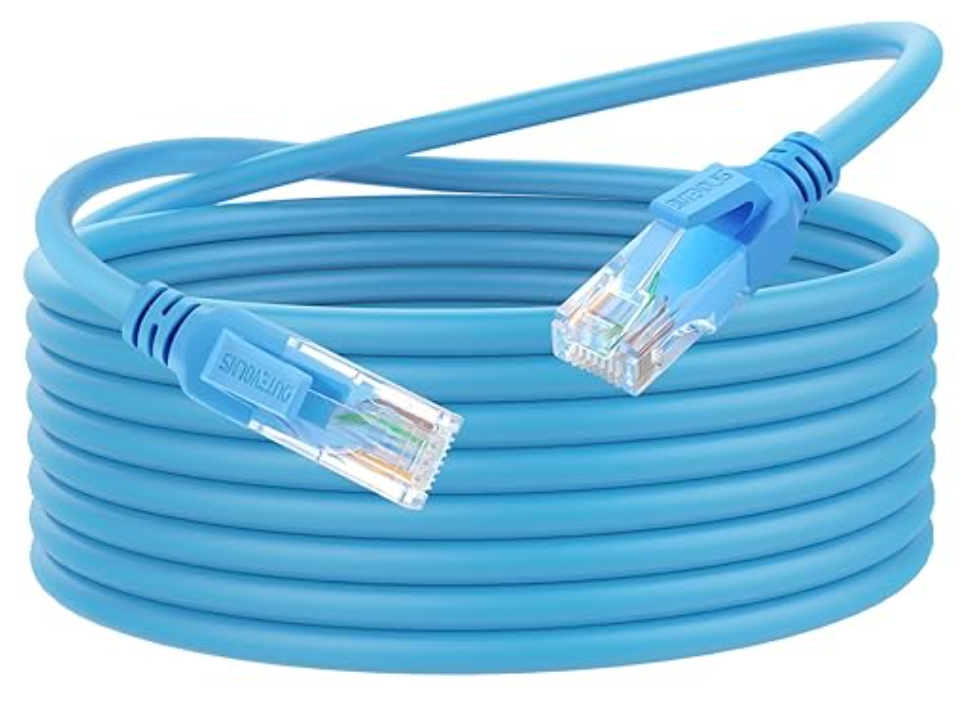
In this client’s house, there are two identical iMacs, both wired through the house wiring to the same Gigabit Ethernet hub (switch). One of the iMacs shows normal speed-test results, 500+ Mbps download speed. The other shows a very slow 90 Mbps download speed. The problem was a bad cable between the slow iMac and the Ethernet outlet in the wall. The confusion factor is that this iMac was working fine, just slowly. The secret clue is that Ethernet wiring has eight conductors, but, in the old days of 100 Mbps Ethernet, only four of those conductors were used. So, if those four conductors are good, the system will operate perfectly at 100 Mbps. However, Gigabit Ethernet requires all eight conductors to function properly. Given the symptom, it was immediately apparent to me that there was probably a bad cable somewhere.
I used an Ethernet cable tester to locate the bad cable. And to verify that the cable did, indeed, only have seven functional conductors. Then I replaced the cable with a new one and verified that the “slow” iMac now operated at full Internet speed.